Is PL/SQL Reporting No Error Because We Accidentally Hid It?
Can PL/SQL report successful completion even though something went wrong inside the block or an error remains unresolved? The answer is yes, if an exception handler catches the error and lets the block finish silently. We'll try a query that returns no rows and compare three ways of handling the exception.
Is PL/SQL Reporting No Error Because We Accidentally Hid It?
Can PL/SQL report successful completion even though something went wrong inside the block or an error remains unresolved? The answer is yes, if an exception handler catches the error and lets the block finish silently. We'll try a query that returns no rows and compare three ways of handling the exception.
An exception is an abnormal event that occurs during execution (a runtime error). An exception handler is a block of code written to handle that event. The WHEN OTHERS clause catches any exception that has not been handled by a preceding, specific handler.

Concept illustration: Comparison of a handler that hides an error and one that displays a message and uses RAISE to propagate the exception to the caller. DBMS_OUTPUT is not a persistent log.
Step 1: Let the Exception Reach the Caller (Default Behavior)
Try writing a PL/SQL block with the condition WHERE 1 = 2, which is false. This means the SELECT ... INTO statement finds no rows in the table. Leave out the exception handler:
DECLARE
    l_value NUMBER;
BEGIN
    SELECT 1 INTO l_value FROM dual WHERE 1 = 2;
END;
/
DECLARE
*
ERROR at line 1:
ORA-01403: no data found
ORA-06512: at line 4
Help: https://docs.oracle.com/error-help/db/ora-01403/
Understanding the results:
- The system immediately returns
ORA-01403: no data foundto the caller. ORA-06512identifies the line in the block where the problem occurred.
Step 2: Add a Handler That Swallows the Error (Anti-pattern: Swallowing Exceptions)
Try adding WHEN OTHERS THEN NULL; to demonstrate an error-hiding pattern that should be avoided:
DECLARE
    l_value NUMBER;
BEGIN
    SELECT 1 INTO l_value FROM dual WHERE 1 = 2;
EXCEPTION
    WHEN OTHERS THEN
        NULL;
END;
/
PL/SQL procedure successfully completed.
Understanding the results:
The SELECT statement still finds no data, but the client now displays PL/SQL procedure successfully completed. This happens because WHEN OTHERS catches the exception and executes NULL; (which does nothing), leading the calling program to believe that processing completed successfully.
Step 3: Record Error Information, Then Propagate the Exception (RAISE)
Enable SERVEROUTPUT and change the handler to print a warning message before using RAISE; to propagate the original exception to the caller:
SET SERVEROUTPUT ON
DECLARE
    l_value NUMBER;
BEGIN
    SELECT 1 INTO l_value FROM dual WHERE 1 = 2;
EXCEPTION
    WHEN OTHERS THEN
        DBMS_OUTPUT.PUT_LINE(SQLCODE || ': ' || SQLERRM);
        RAISE;
END;
/
100: ORA-01403: no data found
DECLARE
*
ERROR at line 1:
ORA-01403: no data found
ORA-06512: at line 8
ORA-06512: at line 4
Help: https://docs.oracle.com/error-help/db/ora-01403/
Understanding the results:
- The handler displays
100: ORA-01403: no data foundon screen. (Note: In PL/SQL,SQLCODEreturns100forNO_DATA_FOUND, following the ANSI SQL standard.) - The error code
ORA-01403, along with the stack trace (ORA-06512), is returned to the calling program as usual, allowing it to recognise the failure correctly.
Good Practices for Handling Exceptions
- Handle expected events specifically: If finding no data (
NO_DATA_FOUND) is a normal business condition, use a specific handler such asWHEN NO_DATA_FOUND THEN ...and clearly define the value to return. - Avoid
WHEN OTHERS THEN NULL;: This is a serious anti-pattern because it creates silent failures that are very difficult to track down in production systems. - Always end
WHEN OTHERSby raising an error: If you needWHEN OTHERSas a final handler to log information, end it withRAISE;orRAISE_APPLICATION_ERROR()so that the caller is always notified of the error. DBMS_OUTPUTis not a persistent logging system:DBMS_OUTPUT.PUT_LINEhelps display output during testing, but it does not save information to a table or an application log file.
Read more Oracle topics in the Oracle articles on teeDBA.com.
Related articles

Can't Connect to Oracle: What Should You Check for Host, Port, and Service Name?
Why can't you connect to Oracle Database even though you're using the same connection details that worked before? What information should you send to your DBA for help? This article explains the roles of Host, Port, and Service Name, then uses SQL commands from a working session to confirm the services on the database side.

UPDATE Is Stuck: How Can You Tell Whether It Is Waiting for a Lock?
You run an UPDATE, but the screen seems frozen. No result comes back, and no error appears. Could your statement be waiting for a lock held by another session? In this article, we will reproduce the situation by having Session A hold a lock on a row while Session B tries to update the same row. We will then collect evidence and observe how the database behaves while the statement is waiting.
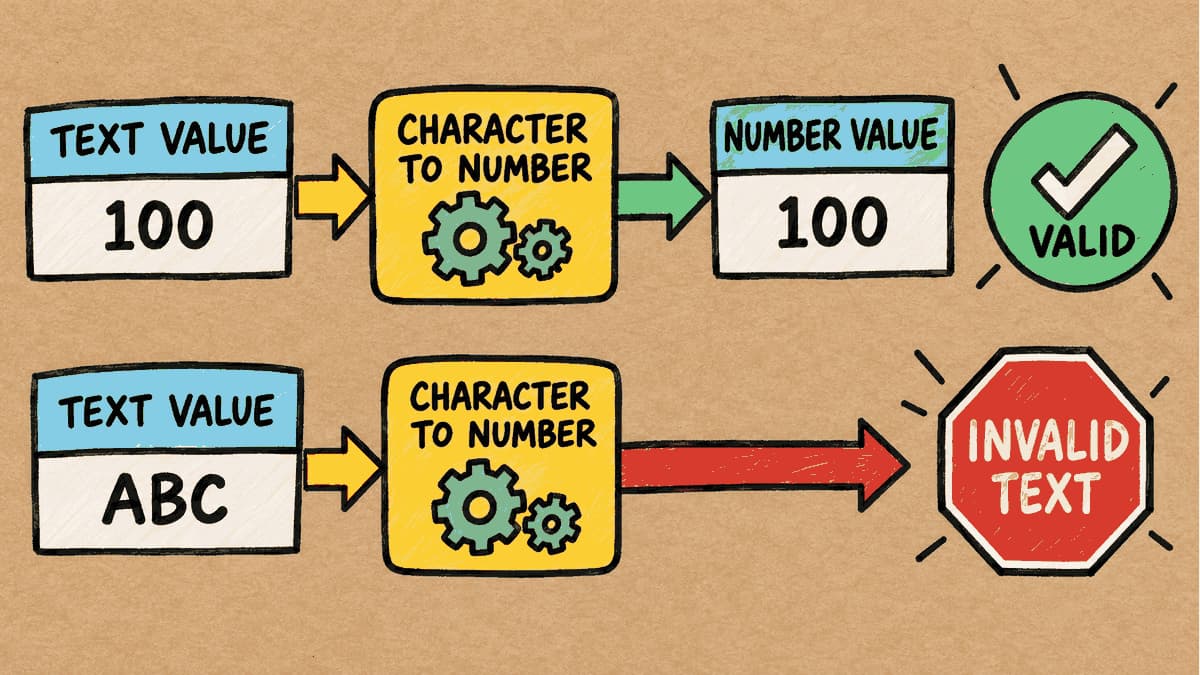
The Column Contains Text, but the Condition Uses a Number: How Does Oracle Compare Them?
If a table column is designed to store text (VARCHAR2), but the SQL WHERE condition supplies a number (NUMBER) for comparison, what happens to a statement that ran successfully on day one when a value such as 'ABC' is added to the table? We'll test this and look at the actual results before and after adding the new data.